# Adding Users
You can collaborate on ADAPT TAP by giving project access to other users. You can only share a project with another user. Project access can be revoked at any time by a project administrator.
Adding users to any ADAPT TAP project space is subject to the User Access Control and Sharing Policies as dictated by ARPA-H. The list of the policies is present in the[ ADAPT TAP Sharing Policies section](https://github.com/DNAx-corp/ARPA-H-ADAPT-Documentation/blob/main/projects/broken-reference/README.md).
## Adding Project Members
Please note, as part of the [ADAPT User Access Control](https://documentation.adapt-tap.dnanexus.com/adapt-tap-sharing-policies/user-access-control), you cannot add non-ADAPT users to your ADAPT projects.
Once you've created a project, you can invite other ADAPT members by doing the following:
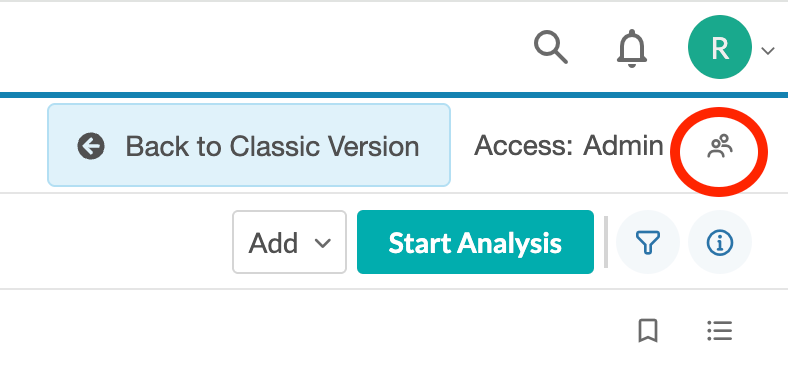
1. From the project's Manage screen, click the Share Project button - the "two people" icon - in the top right corner of the project page.
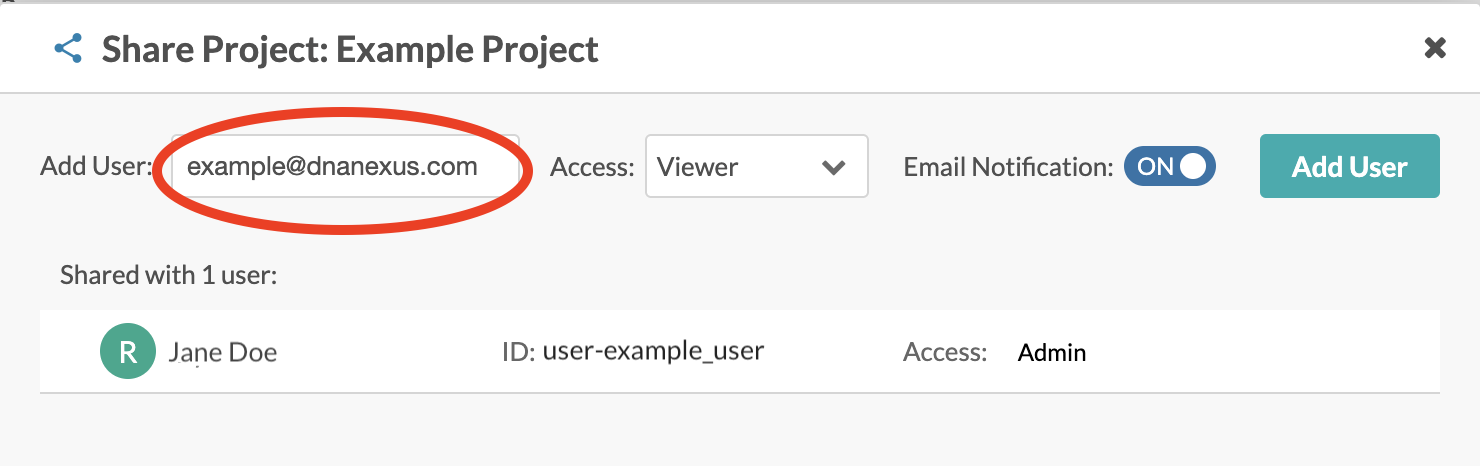
2. Type the username or the email address of an existing Platform user, or the ID of an org whose members you want to add to the project.
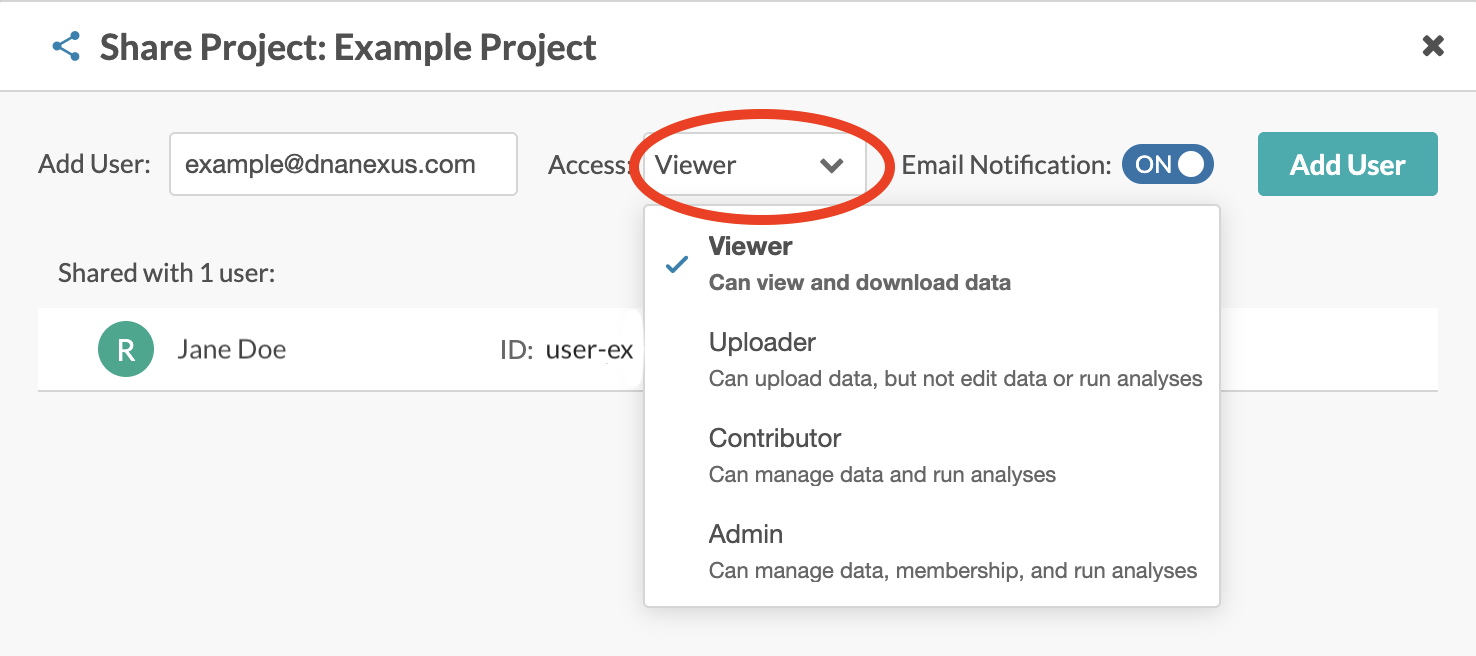
3. In the Access pulldown, choose the type of access the user or org will have to the project.
4. If you don't want the user to receive an email notification on being added to the project, click the Email Notification to "Off."
5. Click the Add User button.
6. Repeat Steps 2-5, for each user you want to add to the project.
7. Click Done when you're finished adding members.
## Removing Project Members
To remove a user or org from a project to which you have ADMINISTER access:
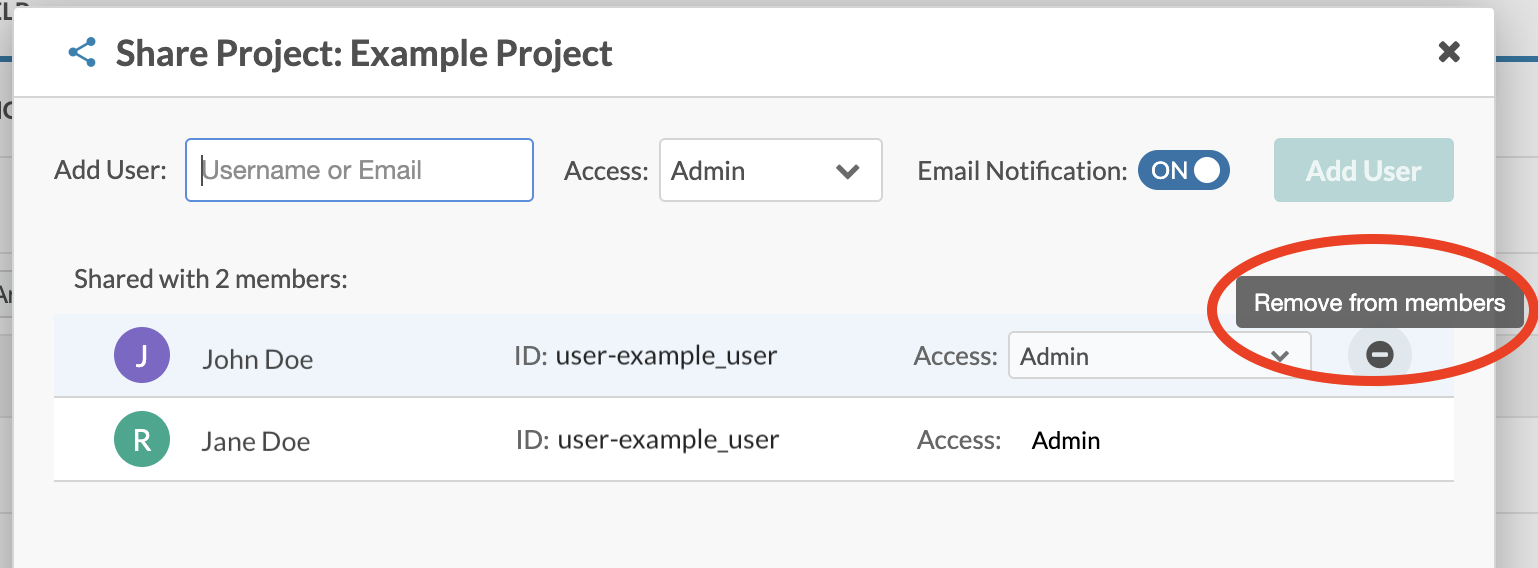
1. On the project's Manage screen, click the Share Project button - the "two people" icon - in the top right corner of the page. A modal window will open, showing a list of project members.
2. Find the row showing the user you want to remove from the project.
3. Move your mouse over that row, then click the Remove from Members button at the right end of the row.
## Project Access Levels
| Access Level | Description |
| ------------ | --------------------------------------------------------------------------------------------------------------------------------------------------------------------------------------------------------- |
| VIEW | Allows users to browse and visualize data stored in the project, download data to a local computer, and copy data to other projects. |
| UPLOAD | Gives users VIEW access, plus the ability to create new folders and data objects, modify the metadata of open data objects, and close data objects. |
| CONTRIBUTE |
Gives users UPLOAD access, plus the ability to run executions directly in the project.
|
| ADMINISTER | Gives users CONTRIBUTE access, plus the power to change project permissions and policies, including giving other users access, revoking access, transferring project ownership, and deleting the project. |
\\
%20(1).png?alt=media)