# Copying Data
Adding data to any ADAPT TAP project space is subject to the User Access Control and Sharing Policies as dictated by ARPA-H. The list of the policies is present in the[ ADAPT TAP Sharing Policies section](https://github.com/DNAx-corp/ARPA-H-ADAPT-Documentation/blob/main/projects/broken-reference/README.md).
## Copying Files
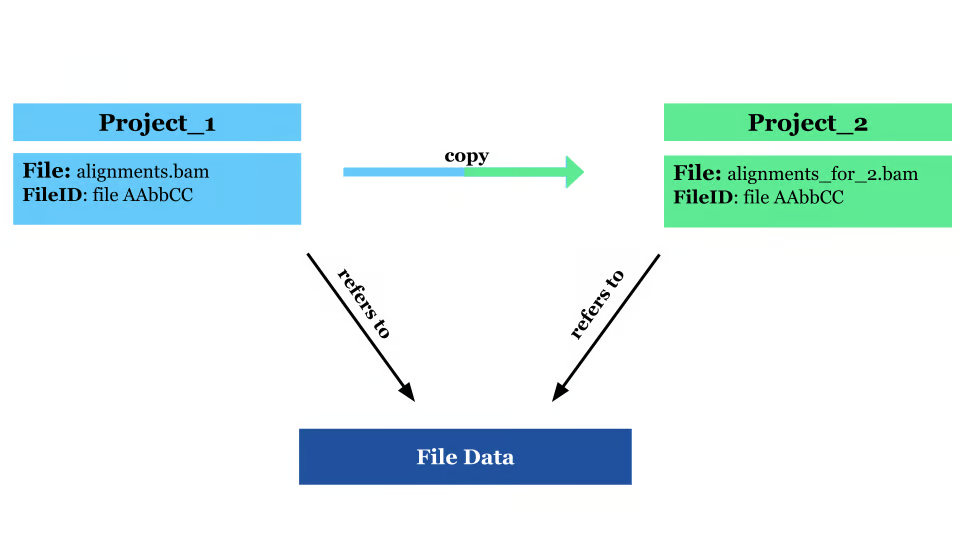
* Copying means from one project to another project
* You cannot copy within the same project because only unique file IDs can be present in the project space.
## How to Copy Files
There are 2 options when copying files.
### Option 1: Starting in the project with the file that you want to copy
1. Create a project for your data, billed to your own TAP organization. Tutorials on how to set up a project can be found [on this page](https://documentation.adapt-tap.dnanexus.com/projects/overview-of-a-project).
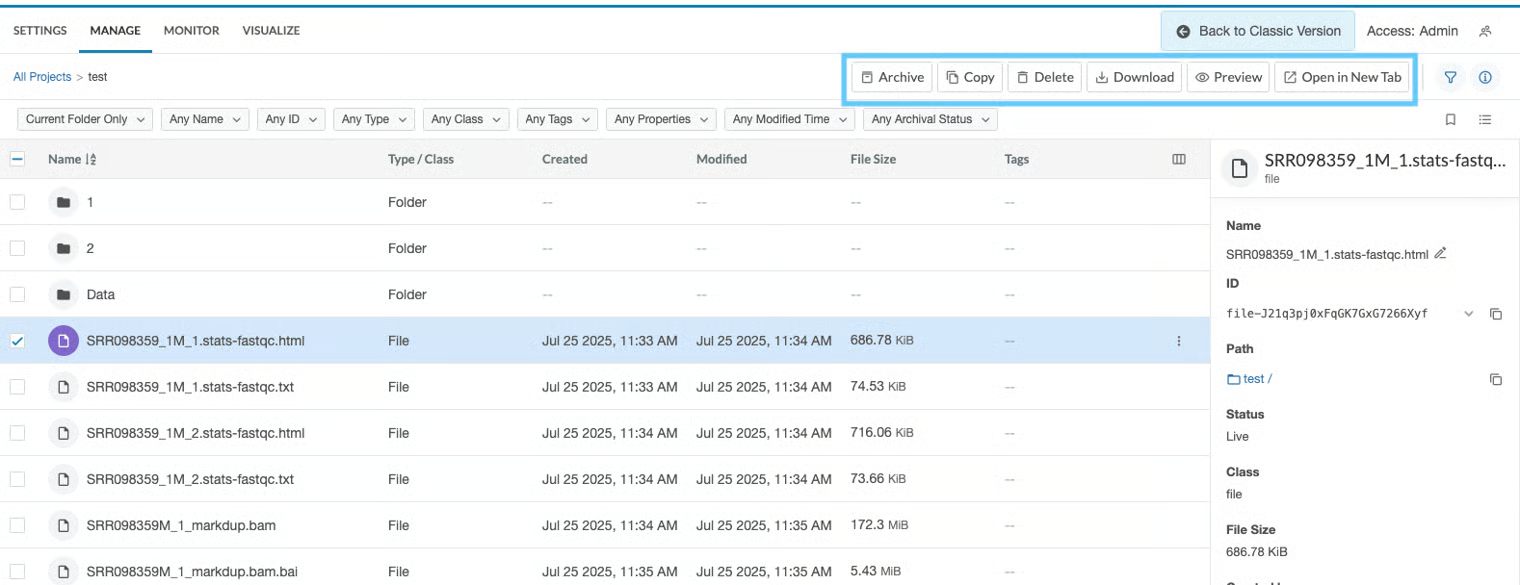
2. Then, go to the project that the data of interest is in, select the data, and select the function "Copy".
3. Then, select the project that you created in Step 1 and select "Copy Here"
4. The data will now be copied into the Project from step 1.
### Option 2: Starting in the project where you want files copied
1. Create a project for your data, billed to your own TAP organization. Tutorials on how to set up a project can be found [on this page](https://documentation.adapt-tap.dnanexus.com/projects/overview-of-a-project).
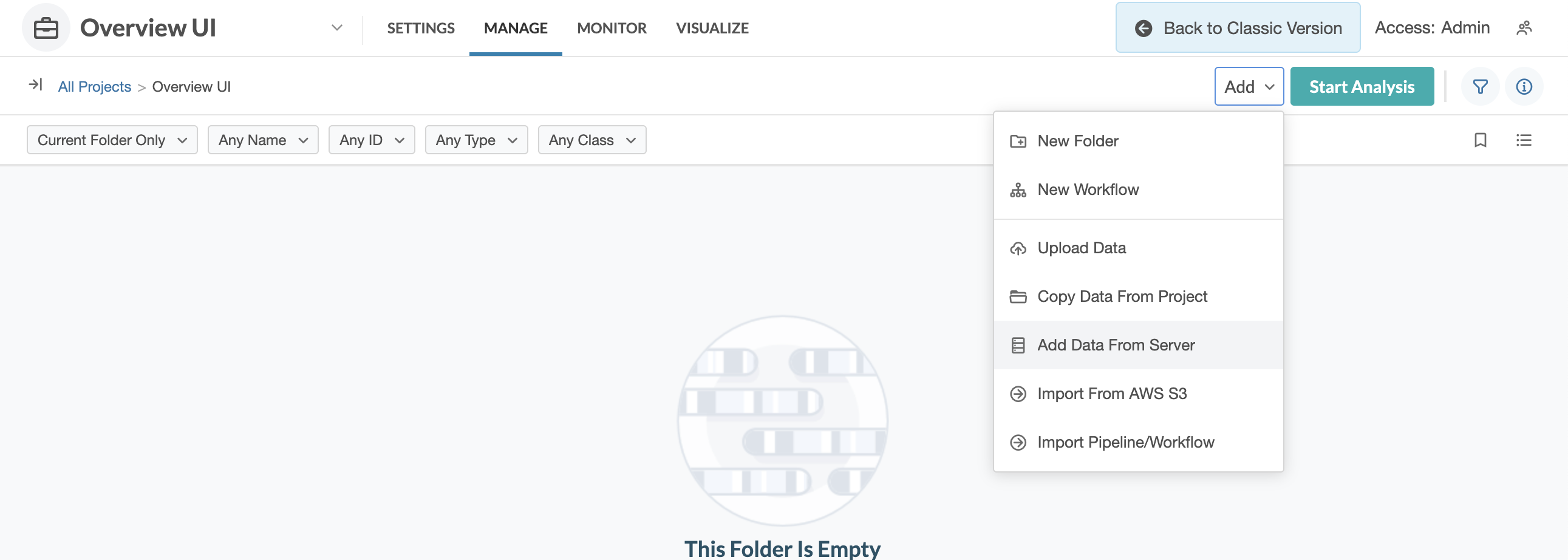
2. Go to the "Add" drop down menu and select "Copy Data from Project"
* Then, select the project with the data that you want copied. Select the files/ folders, and then press "Copy Selected"
* The data will now be copied into the Project from step 1.