# Running Apps in the UI

**Set Up**

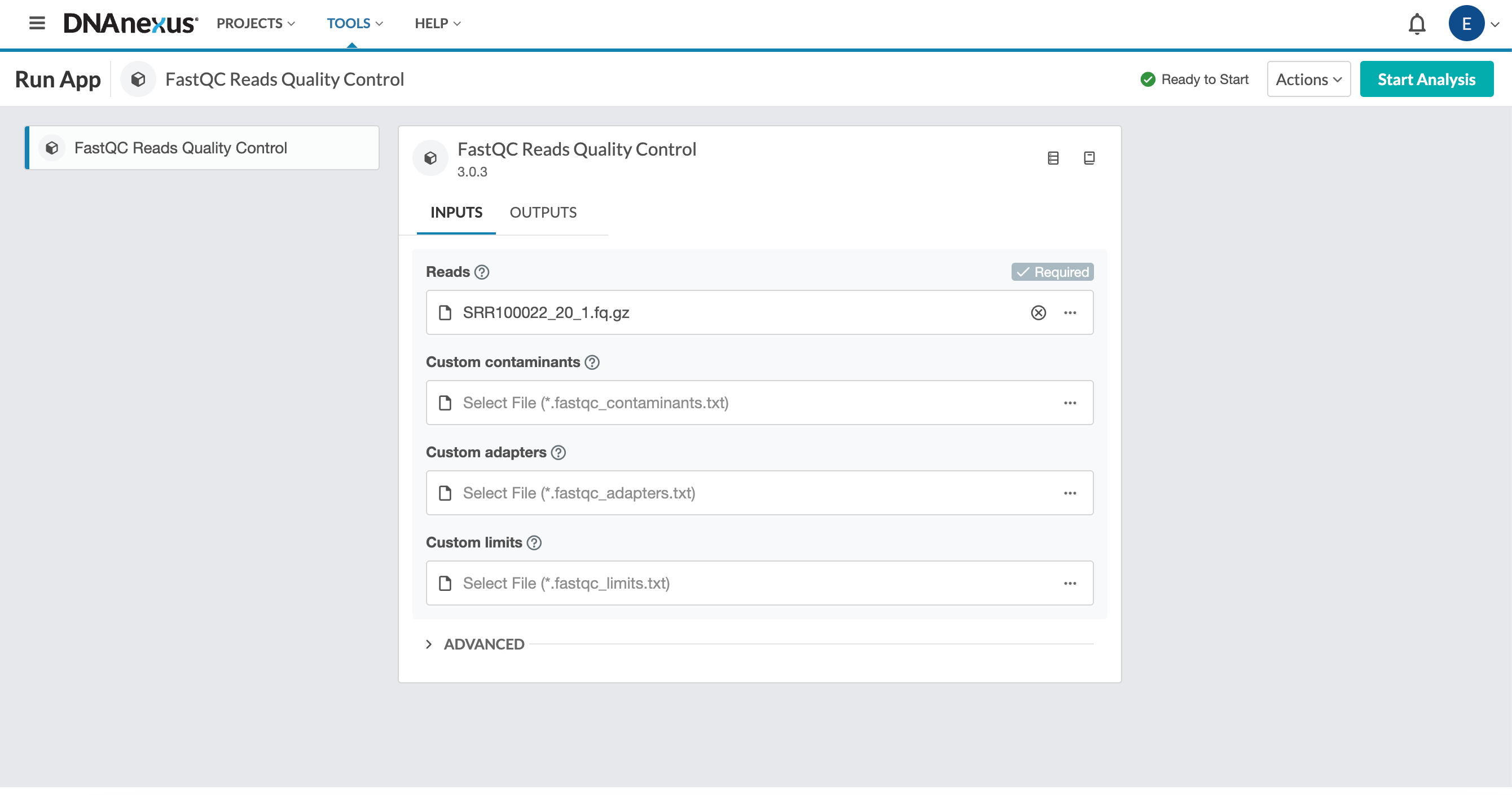
* Once you have selected the app you want to use and read the documentation (if applicable), you will use the guided setup to run the app in the UI.
* Set the Output folder
* Set the inputs. In the example of FASTQC, it is one FASTQ file
* Launch the app using the start analysis button in the upper right

<figure><img src="https://3504452945-files.gitbook.io/~/files/v0/b/gitbook-x-prod.appspot.com/o/spaces%2Fp8rQlIsJAoT4gb1fg2yr%2Fuploads%2Fgit-blob-dc642c27ff57f79f74598a0505bba7085b52a326%2Fimage.png?alt=media" alt=""><figcaption></figcaption></figure>

<figure><img src="https://www.gitbook.com/cdn-cgi/image/dpr=2,width=1168,onerror=redirect,format=auto/https%3A%2F%2Ffiles.gitbook.com%2Fv0%2Fb%2Fgitbook-x-prod.appspot.com%2Fo%2Fspaces%2FPtCOm9rXoRi4P9rh1ET8%2Fuploads%2Fgit-blob-62c0f9304a34f149f6e9f95be9ba1093bae22b67%2FScreenshot%202023-11-07%20at%202.23.05%20PM.png%3Falt%3Dmedia" alt=""><figcaption></figcaption></figure>

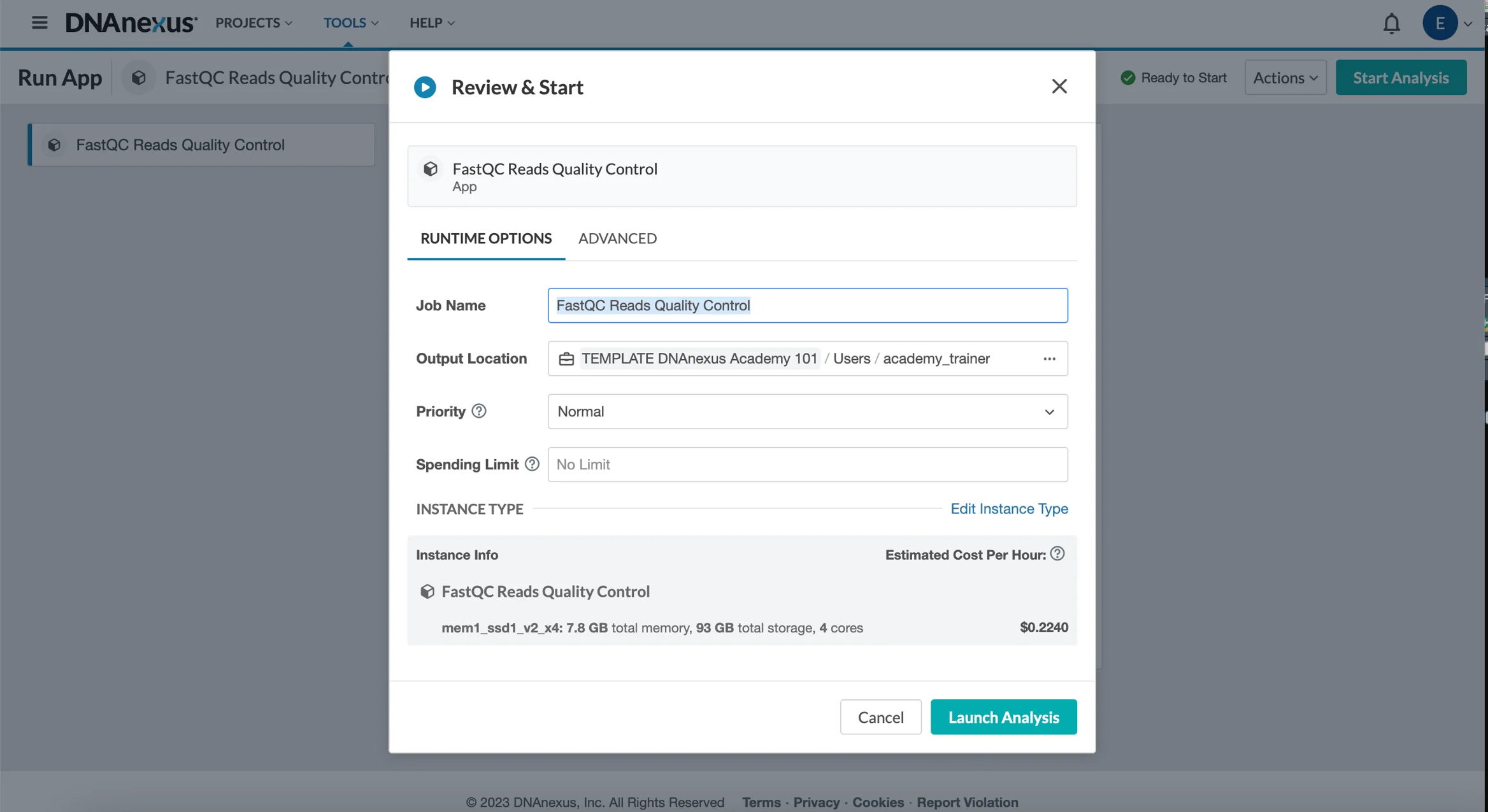
* You will have a review step. This is to review the content as well as add additional parameters such as a spending limit.

<figure><img src="https://3504452945-files.gitbook.io/~/files/v0/b/gitbook-x-prod.appspot.com/o/spaces%2Fp8rQlIsJAoT4gb1fg2yr%2Fuploads%2Fgit-blob-0755365bcd329fa104a1fed55d78a3b77f1febf1%2Fimage.png?alt=media" alt=""><figcaption></figcaption></figure>

**Monitor An App**

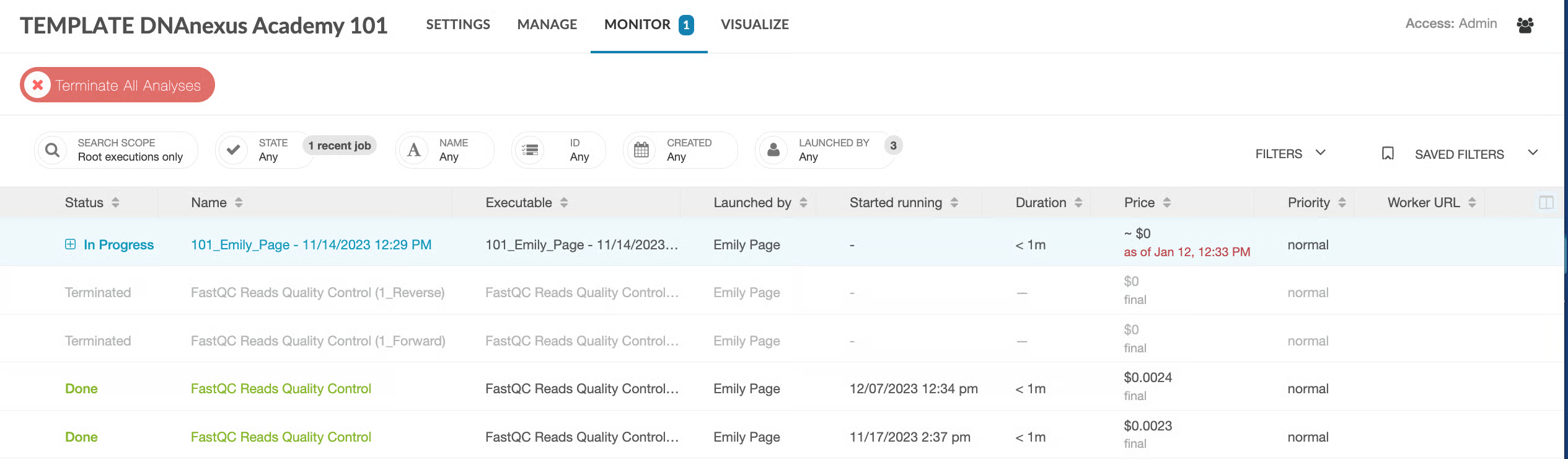
* You will automatically be redirected to the monitor page

<figure><img src="https://3504452945-files.gitbook.io/~/files/v0/b/gitbook-x-prod.appspot.com/o/spaces%2Fp8rQlIsJAoT4gb1fg2yr%2Fuploads%2Fgit-blob-462d2d08122ef8da93f60b683cc2503a733f1075%2Fimage.png?alt=media" alt=""><figcaption></figcaption></figure>

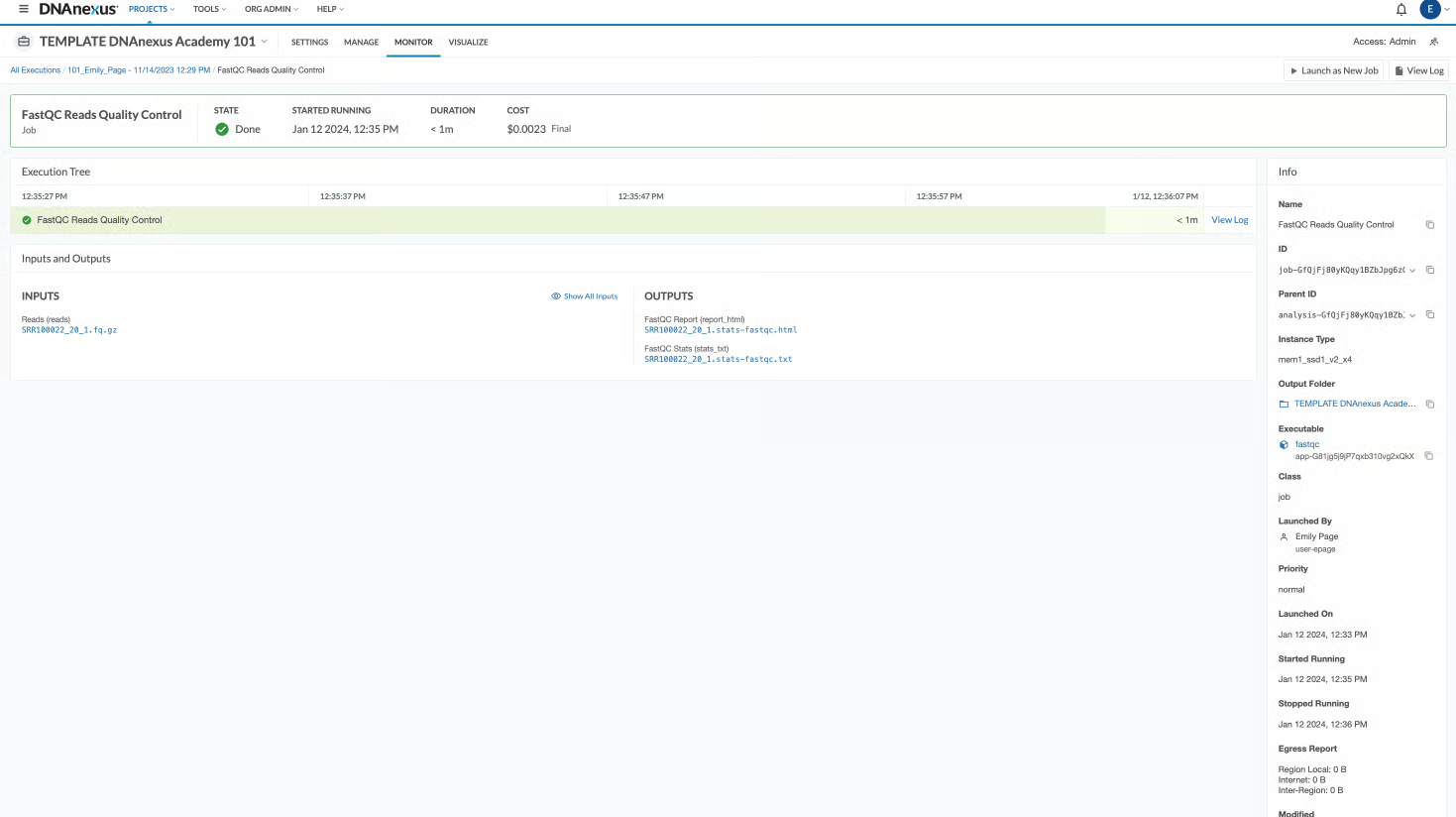
* When the job is completed, you will have buttons to access the inputs (such as a FASTQ file) and outputs (such as an HTML file).
* Here is the view when the app is completed:

<figure><img src="https://3504452945-files.gitbook.io/~/files/v0/b/gitbook-x-prod.appspot.com/o/spaces%2Fp8rQlIsJAoT4gb1fg2yr%2Fuploads%2Fgit-blob-958dc315bfcf5a0055e25cee226b9f48d630a5e9%2Fimage.png?alt=media" alt=""><figcaption></figcaption></figure>

## Supplemental Information

**Using Apps in the GUI**

{% embed url="<https://youtu.be/q8q3bmu30B0?si=7drZnab0Z7Uz3N6j>" %}

**Batch Processing in the GUI**

{% embed url="<https://youtu.be/-OlGwUCa6do?si=YhxEc4Pg30uVP0_Q>" %}

**Monitoring An App/ Workflow**

{% embed url="<https://youtu.be/ktviv5HZjVg>" %}

## Resources

[User Interface QuickStart Guide](https://documentation.dnanexus.com/getting-started/ui-quickstart)

[Tool Library List](https://documentation.dnanexus.com/user/running-apps-and-workflows/tools-list)

[Full Documentation](https://documentation.dnanexus.com/)

To create a support ticket if there are technical issues:

1. Go to the Help header (same section where Projects and Tools are) inside the platform
2. Select "Contact Support"
3. Fill in the Subject and Message to submit a support ticket.